Something wrong with your PC?
Tell Titan. It fixes it.
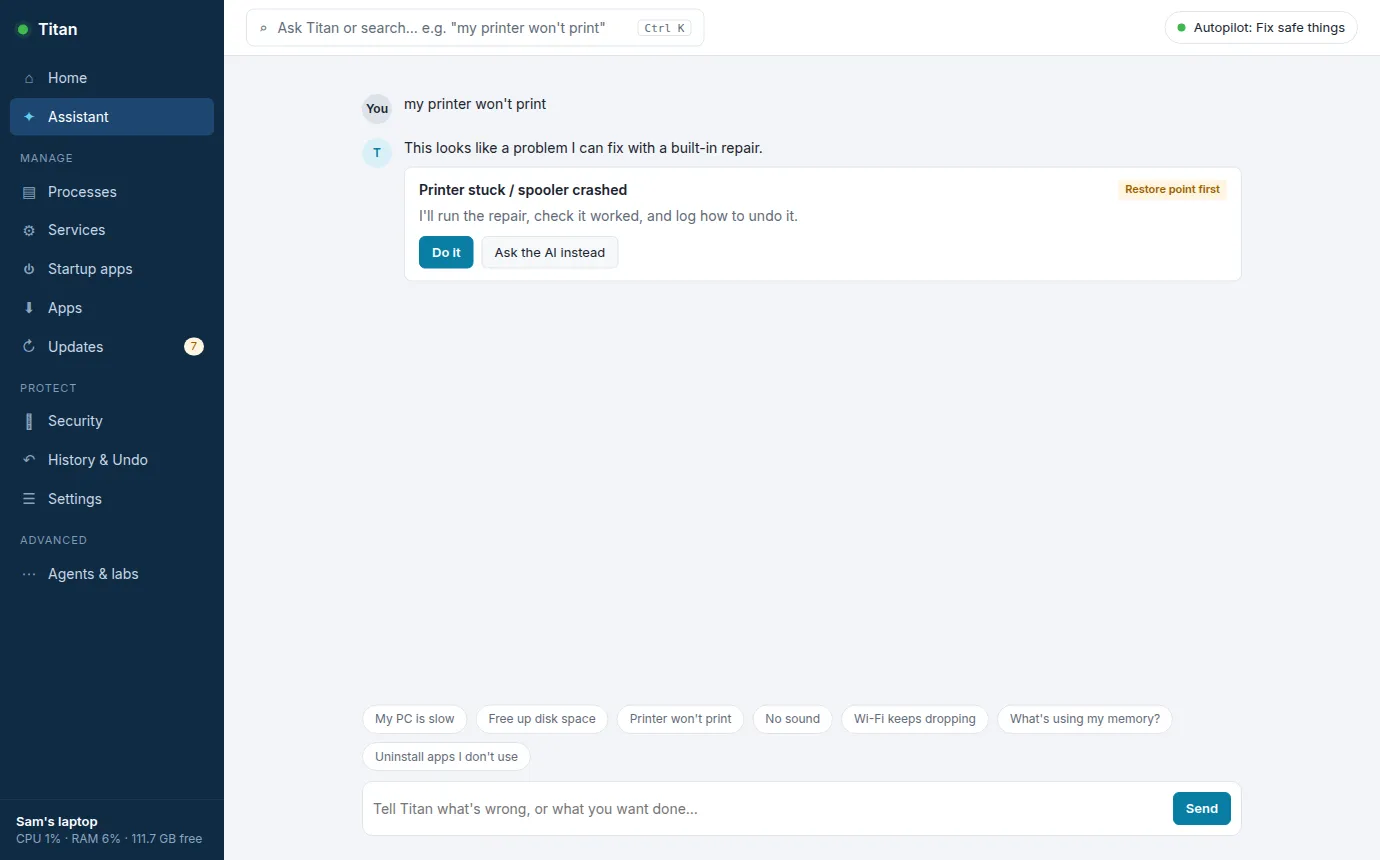
No searching forums, no guessing which setting to change. Type "my printer won't print" or "no sound" and Titan fixes it, checks it worked, and keeps a note of how to undo it. It also catches problems on its own, before you notice.
Download free for WindowsWindows 10/11 · 23 MB · no account · no API key
How it works
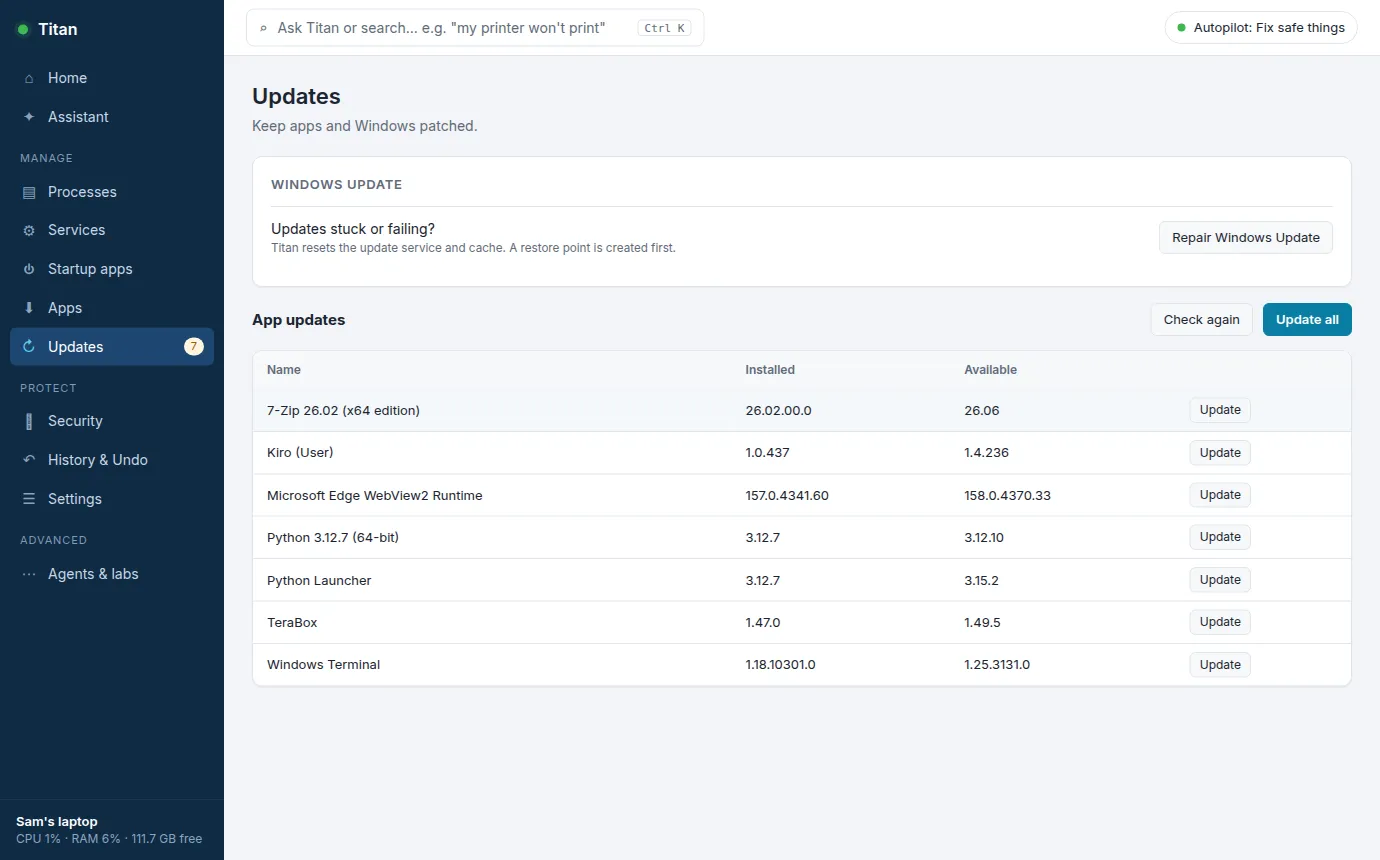
Everything in one window
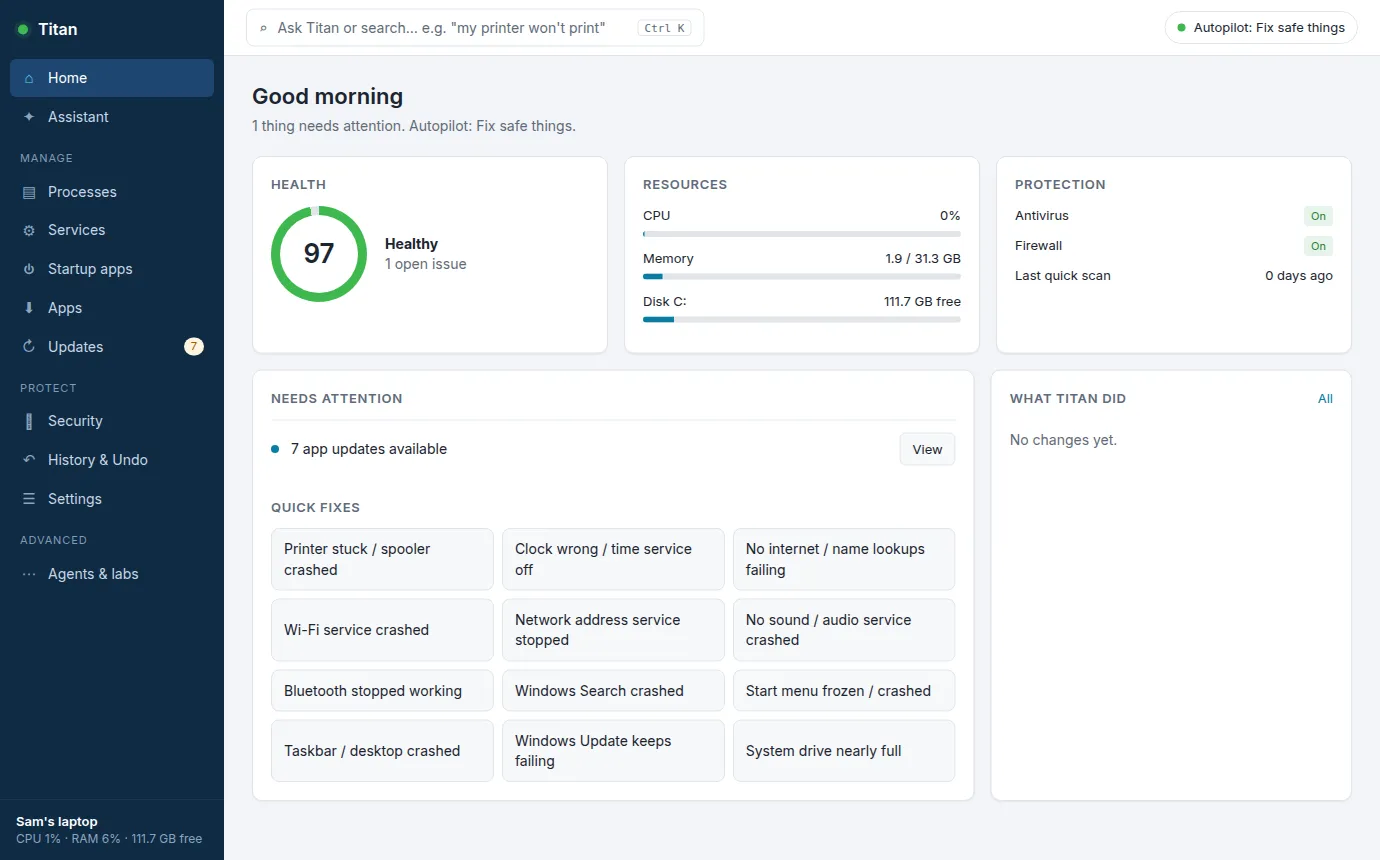
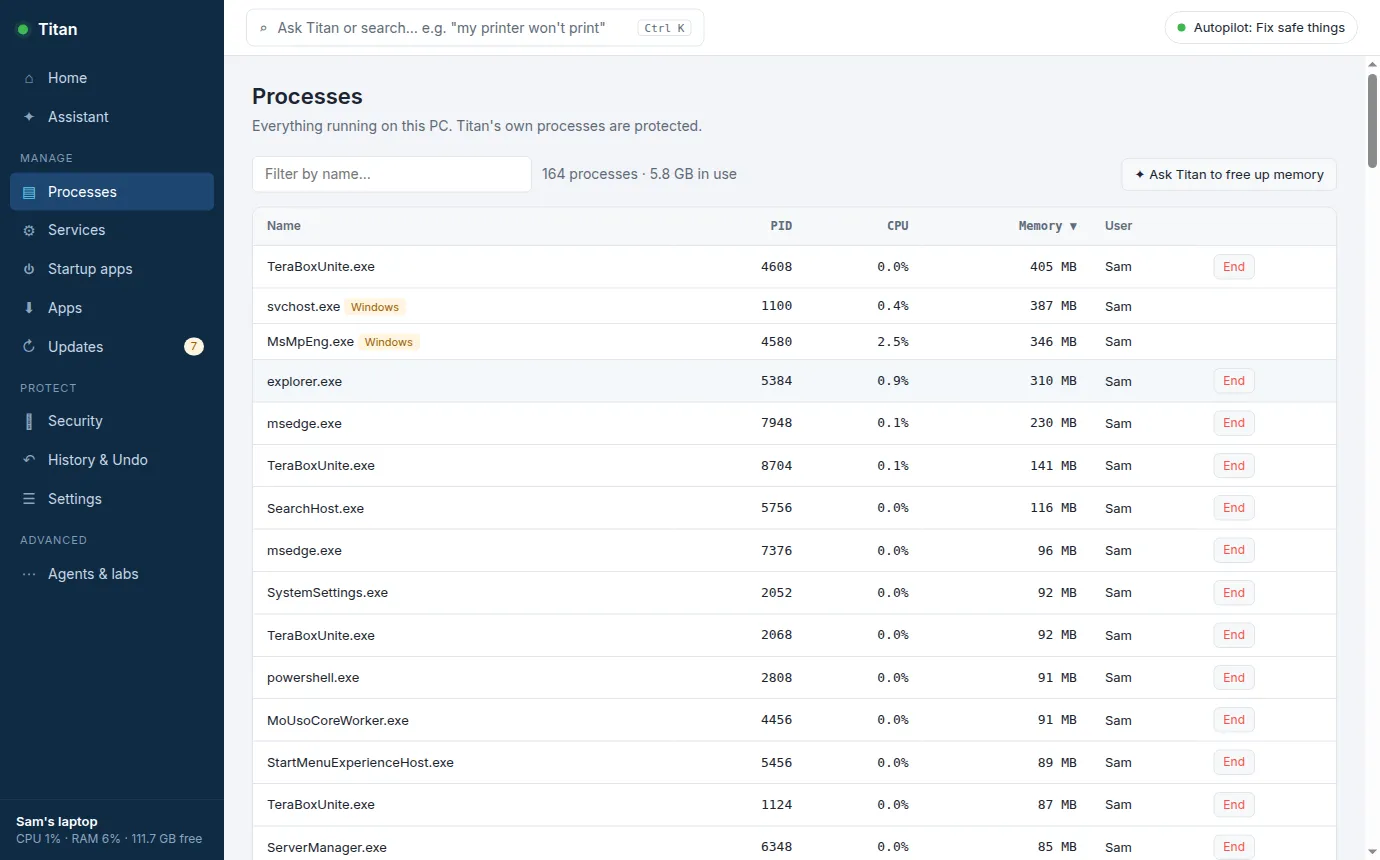
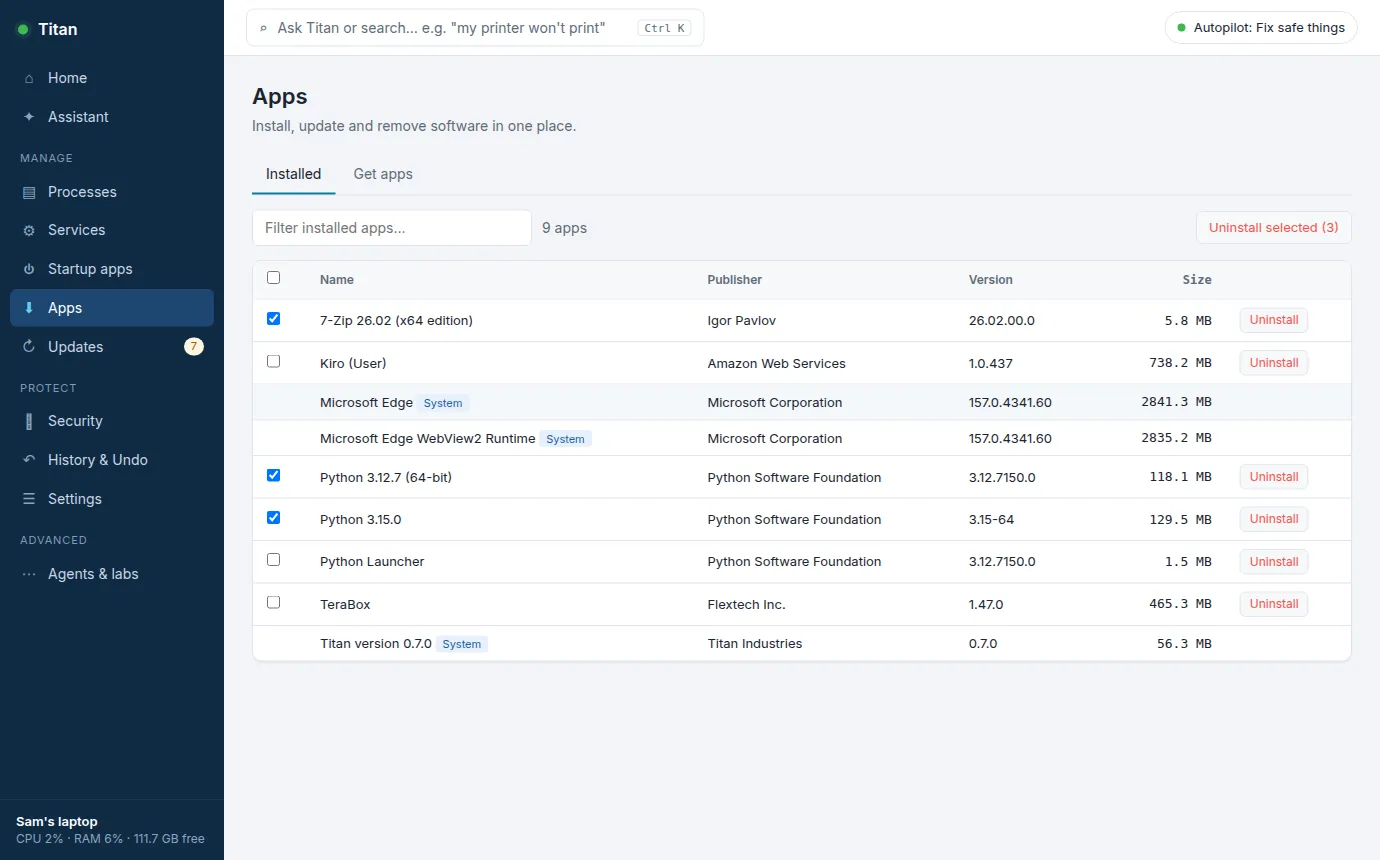
Titan replaces the scattered Windows tools: running programs, services, startup apps, installing and removing apps, updates and security, all in one place. Ask Titan in plain English, or click. Choose how much it does on its own: ask me first, fix safe things, or full autopilot.
What it fixes today
- Printer stuck / print queue jammed
- "Connected but no internet"
- Wi-Fi service crashed
- No sound
- Bluetooth headphones won't connect
- Windows Update keeps failing
- Disk nearly full
- Start menu frozen
- Taskbar / desktop crashed
- Clock wrong (breaks logins and websites)
- Windows Search broken
- Network address problems
New fixes ship regularly. Tell us what breaks most on your PC in Discord.
See it fix a broken printer
Is it safe to let it fix things?
Put it on your parents' PC too
If you're the one people call when their PC breaks, install Titan on theirs. Most of those calls fix themselves. Coming soon: see all your family's PCs from your phone and approve bigger fixes remotely. Join the Discord to get it first.